
Backup & monitoring
Backups that are visible, monitored and easier to test.
Most backups already exist. The question is whether they run correctly, whether they are complete, and whether they would actually be usable if needed.
- NAS
- Local server
- S3 compatible
- PostgreSQL
- MySQL
- Files
- Restore tests

Scheduling
Tools can be designed to schedule backups for different types of sources, chosen with the client:
- Local files and directories
- PostgreSQL databases
- MySQL databases
- Configuration files
- Any other source defined with the client
Storage
Backup storage stays under the client's control:
- NAS owned by the client
- Server owned by the client
- Local disk
- S3-compatible storage owned by the client
SOLODOVNIKOVA.AGENCY does not host its clients' backups.
Monitoring
Depending on the need, a dashboard can show:
- Status of each backup job
- Date and time of the last run
- Run duration
- Warnings detected
- Errors encountered
- Volume of data processed
- A summary report, delivered in the way agreed with the client
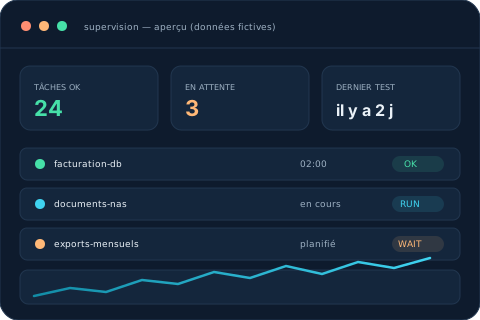
Illustration — sample data
Verification
Beyond simply running a job, several checks can be put in place:
- Checking that expected backup files exist
- Checking that produced files are readable
- Checksum calculation where relevant
- Test export from a backup
- Test restore scenario, defined with the client
- Documenting the result of each check
What these tools do not replace
- Antivirus software
- A firewall
- A complete business-continuity plan
- Hardware maintenance
- An overall cybersecurity strategy
- Human review of results
- Off-site backup, if the client hasn't set this up separately
These tools aim to reduce the risk of data loss, improve visibility on backups and make restore checks easier. Results depend on the client's configuration and infrastructure; no restoration can be guaranteed.